What is the OOTDBuy Spreadsheet?
A catalogue of product links arranged into categories. The cards help you discover an item; the original listing holds its seller, options and measurements.
Search guide, checked August 2026
You saw something on a finds page, or you know what you want and no more than that. Either way the next move is a search box. This guide is about that box: what to put in it, which of the three sources to trust with your question, and how to be sure the listing you opened is the thing you meant.
Sixteen ways in
Every tile opens a live category of OOTDBUY finds. Under each one is the Chinese word we typed into the OOTDBUY box to get that kind of thing back, what the word literally says, and the way that particular search misleads people. The words were searched one at a time on 2026-08-04; the full table of 46 is on the search words page.
 Trainers
Category
Trainers
Category
运动鞋yun dong xie · sport shoes
 Jackets and coats
Category
Jackets and coats
Category
夹克jia ke · jacket, by sound
 Hoodies
Category
Hoodies
Category
卫衣wei yi · sweat-clothing
 T-shirts
Category
T-shirts
Category
短袖T恤duan xiu T xu · short-sleeve T
 Jeans
Category
Jeans
Category
牛仔裤niu zai ku · cowboy trousers
 Sweatpants
Category
Sweatpants
Category
卫裤wei ku · sweat trousers
 Womenswear
Search results
Womenswear
Search results
连衣裙lian yi qun · joined-clothing skirt
 Football shirts
Category
Football shirts
Category
 Bags
Category
Bags
Category
手提包shou ti bao · hand-carried bag
 Caps and beanies
Category
Caps and beanies
Category
棒球帽bang qiu mao · baseball hat
 Belts
Category
Belts
Category
皮带pi dai · leather band
 Sunglasses and frames
Category
Sunglasses and frames
Category
墨镜mo jing · ink lenses
 Perfume
Category
Perfume
Category
香水xiang shui · fragrant water
 Jewellery
Category
Jewellery
Category
饰品shi pin · ornaments
 Watches
Category
Watches
Category
手表shou biao · hand clock
 Phone cases and tech
Category
Phone cases and tech
Category
手机壳shou ji ke · phone shell
A catalogue of product links arranged into categories. The cards help you discover an item; the original listing holds its seller, options and measurements.
Find a starting point by category, then refine your search using the words sellers use. Category notes and the Chinese word builder help you compare similar products without relying on a thumbnail alone.
OOTDBUY is a shopping agent. It places your purchase with a seller, receives the goods in its warehouse, provides inspection photos and arranges international shipping.
Product search and seller-link orders connect to the same warehouse and parcel flow. Compare the available payment methods, restrictions and shipping estimate for your destination before committing.
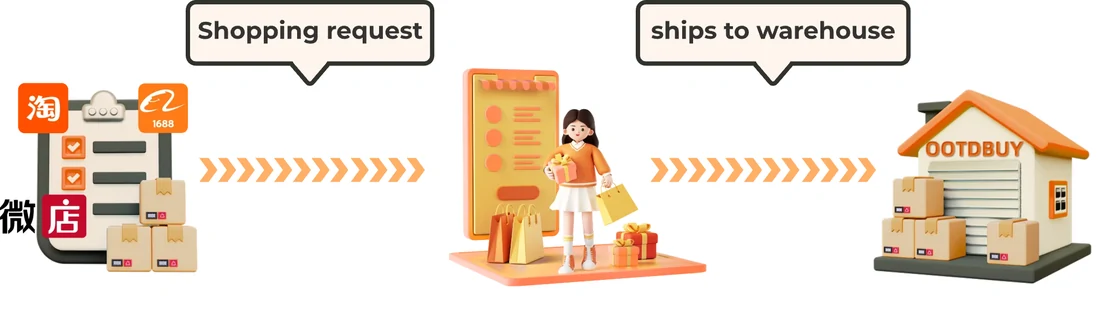
Choose a category or useful keyword. Open the seller listing and check the exact size, colour and measurements.
Paste the seller link into OOTDBUY, repeat the chosen options and pay for the goods and domestic delivery.
Check QC photos, request missing details and raise eligible returns. Choose packing and a line before paying international freight.
Follow the parcel’s tracking record. Inspect delivery and keep photos and packaging if support is needed.
Compare evidence, not just the product name. Read the fit and option checks before payment.
Understand inspection limits and how the two payment stages affect the total.
Find search answers and the support route for delivery, returns or an order problem.